
Page Summary
-
Load costs allow the optimizer to consider the weight or volume carried by vehicles between visits, influencing route decisions based on the load.
-
Costs are calculated based on the difference between the carried load and a defined threshold, multiplied by the distance or duration of the transition, and a cost per unit.
-
Load costs can model scenarios such as increased vehicle energy usage or wear from heavy loads, with costs applicable either above or below a specified load threshold.
-
Load cost parameters, such as
load_threshold,cost_per_unit_above_threshold, andcost_per_unit_below_thresholdare specified withinVehicle.LoadLimit, and all default to zero. -
The incurred load costs appear in the
metricsandroute_metricsof the response message, and load costs are expressed in the same units as other cost parameters, likeglobal_duration_cost_per_hour.
Load costs specify the costs or penalties that a vehicle incurs based on the
load it carries between shipment pickups and deliveries. You can configure these
costs based on travel distance with costPerKilometer, travel duration with
costPerTraveledHour, or use both at the same time.
Configure load costs to support objectives such as the following:
- Factor in fuel costs that increase with cargo weight.
- Avoid routing heavily loaded vehicles over long distances.
- Account for vehicle wear and tear from heavy cargo.
Properties
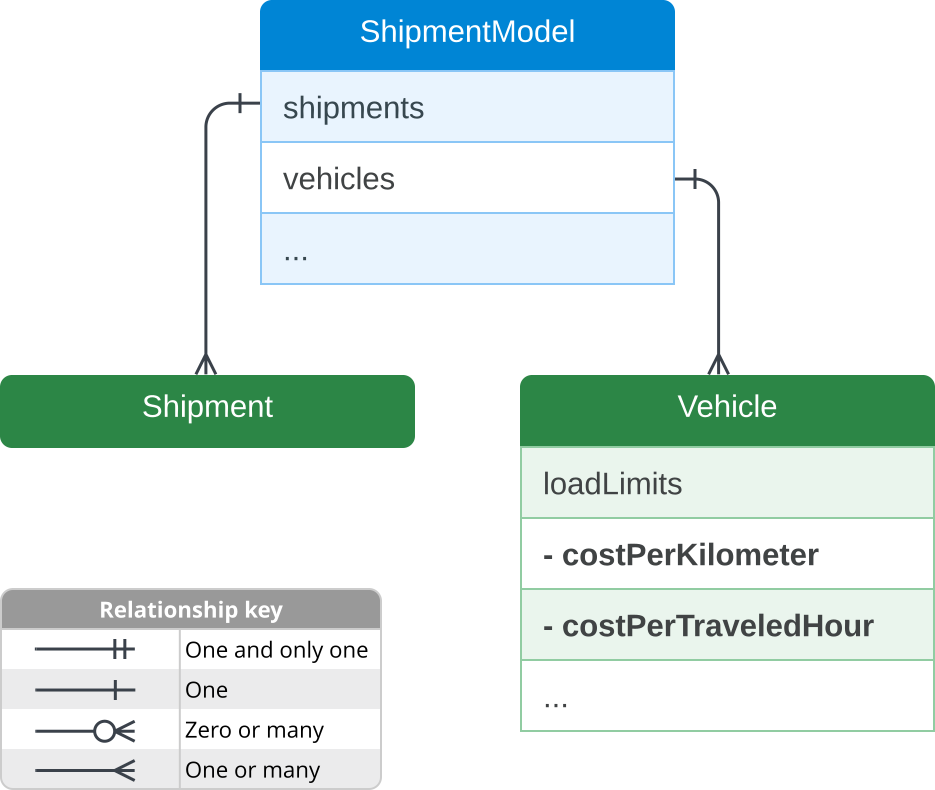
Specify load costs within the loadLimits property of a Vehicle.
Like all other cost parameters, load costs use dimensionless, relative cost
units.
You can define load costs using the following properties:
| Property | Type | Description |
|---|---|---|
costPerKilometer |
Object | Contains a LoadCost object type to calculate travel costs based on kilometers traveled. |
costPerTraveledHour |
Object | Contains a LoadCost object type to calculate travel costs based on traveled hours, excluding wait, visit, and break times. |
LoadCost
A LoadCost message type defines the travel cost of carrying a specific
load. It lets you set a load threshold, and then specify different cost rates
per unit of load both below and above that threshold.
The LoadCost object contains the following configuration parameters:
| Parameter | Type | Description |
|---|---|---|
loadThreshold |
string (int64 format) | The load level where the cost calculation rate changes. Default is 0. |
costPerUnitAboveThreshold |
Number | The cost applied to each unit of load above the loadThreshold. Default is 0. |
costPerUnitBelowThreshold |
Number | The cost applied to each unit of load below or equal to the loadThreshold. Default is 0. |
Matching load costs with shipments
Load costs apply when a vehicle's carried load matches the loadDemands
type of the shipments on its route. Load types are arbitrary strings, such as
weight or volume. For more details on configuring load types, see Load
types.
Examples
This section covers three types of examples:
- Code samples that illustrate the structure of load costs.
- An example scenario that shows one way to use load costs to achieve a business objective.
- A request example that includes the values set in the example scenario.
Code samples
The following example shows how to structure a load cost with all available
configuration parameters. This sample uses costPerKilometer, but you can
replace it with costPerTraveledHour to calculate costs based on travel
duration instead of distance.
{
  "model": {
    "vehicles": [{
      "loadLimits": {
        "LOAD_TYPE": {
          "maxLoad": "MAX_LOAD",
          "costPerKilometer": {
            "loadThreshold": "LOAD_THRESHOLD",
            "costPerUnitAboveThreshold": COST_ABOVE,
            "costPerUnitBelowThreshold": COST_BELOW
          }
        }
      }
    }]
  }
}
Example scenario
This section describes a scenario where you want to optimize fuel consumption, and the fuel consumed is proportional to the distance and the cargo weight. Because vehicles consume more fuel when carrying heavier loads, you want to plan routes that deliver heavier packages first.
To set up this behavior, you can configure your request to penalize vehicles that travel long distances with heavy cargo. For this example, use the following property values in your request:
| Parent | Property | Type | Value | Scenario |
|---|---|---|---|---|
loadLimits |
load type | string | weightKg |
Defines the type of capacity to track. This example uses weightKg to represent cargo weight in kilograms. |
loadLimits |
maxLoad |
string | 100 |
The maximum cargo weight the vehicle can carry. |
costPerKilometer |
loadThreshold |
string | 15 |
Sets the baseline load threshold. Any cargo weight above 15 kg incurs the load-based fuel cost penalty. |
costPerKilometer |
costPerUnitAboveThreshold |
number | 1 |
Acts as your fuel cost coefficient. For every kilometer traveled, each kilogram of cargo over the 15 kg threshold incurs 1 cost unit. |
loadDemands |
amount |
string | Shipment 1: 50Shipment 2: 10Shipment 3: 80 |
Specifies the cargo weight for each of your three shipments. |
In this scenario, your configured values have the following effects:
- The optimizer arranges your routes to deliver your heaviest packages first. The solver schedules the 80 kg and 50 kg deliveries at the beginning of the route to minimize the distance traveled while heavily loaded.
- The optimizer arranges your routes to minimize distance traveled with heavy
cargo. To see how these settings affect your routes, you can
increase
costPerUnitAboveThresholdfrom1to5. By making the weight penalty higher, you prompt the optimizer to work even harder to minimize the distance traveled with heavier cargo, which can rearrange the drop-off sequence or split the shipments across multiple vehicles.
Request example
The following example shows the structure of a basic optimizeTours
request incorporating the load cost values from the example scenario:
{
  "model": {
    "shipments": [
      {
        "deliveries": [
          {
            "arrivalLocation": {
              "latitude": 37.789456,
              "longitude": -122.390192
            },
            "duration": "250s"
          }
        ],
        "penaltyCost": 100.0,
        "loadDemands": {
          "weightKg": {
            "amount": "50"
          }
        }
      },
      {
        "deliveries": [
          {
            "arrivalLocation": {
              "latitude": 37.789116,
              "longitude": -122.395080
            },
            "duration": "250s"
          }
        ],
        "penaltyCost": 30.0,
        "loadDemands": {
          "weightKg": {
            "amount": "10"
          }
        }
      },
      {
        "deliveries": [
          {
            "arrivalLocation": {
              "latitude": 37.795242,
              "longitude": -122.399347
            },
            "duration": "250s"
          }
        ],
        "penaltyCost": 50.0,
        "loadDemands": {
          "weightKg": {
            "amount": "80"
          }
        }
      }
    ],
    "vehicles": [
      {
        "endLocation": {
          "latitude": 37.794465,
          "longitude": -122.394839
        },
        "startLocation": {
          "latitude": 37.794465,
          "longitude": -122.394839
        },
        "costPerHour": 40.0,
        "costPerKilometer": 10.0,
        "loadLimits": {
          "weightKg": {
            "maxLoad": "100",
            "costPerKilometer": {
              "loadThreshold": "15",
              "costPerUnitAboveThreshold": 1
            }
          }
        }
      }
    ]
  }
}
Calculation formulas
The optimizer calculates load costs using the following formulas.
Full threshold calculation
When you specify both costPerUnitAboveThreshold and
costPerUnitBelowThreshold, you incur separate travel costs for load
amounts both above and below the loadThreshold. The formula is:
cost = max(carried_load - load_threshold, 0) * distance_or_time * cost_per_unit_above_threshold
       + min(carried_load, load_threshold) * distance_or_time * cost_per_unit_below_threshold
For example, using the values from the Request example, where the value of
costPerUnitBelowThreshold is 2, if the vehicle travels 10 kilometers
carrying a load of 50, the calculation is:
max(50 - 15, 0) * 10 * 1 + min(50, 15) * 10 * 2 = 650 cost units
Above-threshold calculation
When you specify only costPerUnitAboveThreshold, the calculation is a
special case of the full threshold formula. Because the cost below the threshold
is zero, the second half of the full formula evaluates to zero. The formula is:
cost = max(carried_load - load_threshold, 0) * distance_or_time * cost_per_unit_above_threshold
For example, using the values from the Request example where
loadThreshold is 15 and costPerUnitAboveThreshold is 1, if
the vehicle travels 10 kilometers carrying a load of 50, the calculation is:
max(50 - 15, 0) * 10 * 1 = 350 cost units
Below-threshold calculation
Symmetrically, if you specify only costPerUnitBelowThreshold, the
calculation is another special case of the full threshold formula where the cost
above the threshold is zero. The formula is:
cost = min(carried_load, load_threshold) * distance_or_time * cost_per_unit_below_threshold